How to Use an HWID Spoofer in 2026 to Get Unbanned Permanently
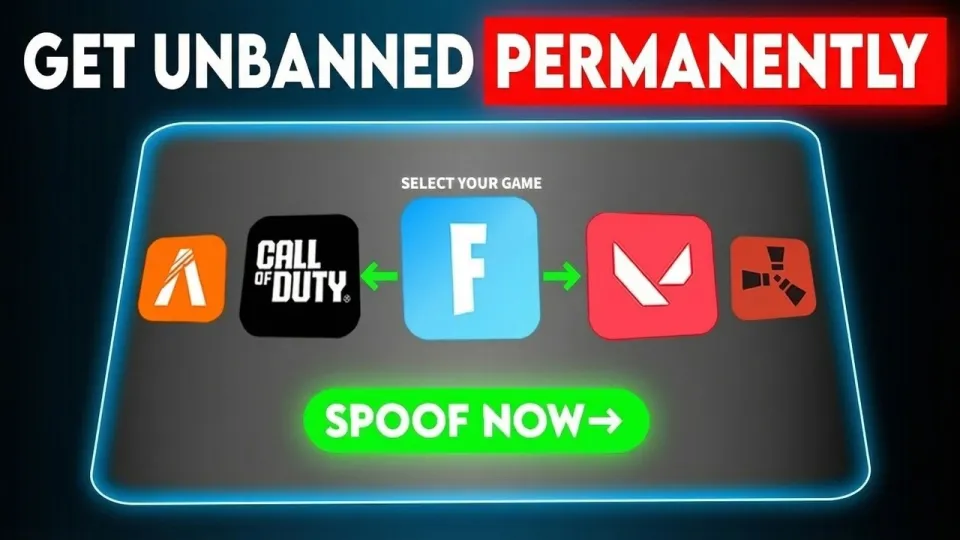
Video: HWID Spoofer 2026 - How to Get Unbanned Permanently
Key takeaways
- An HWID spoofer changes your PC's hardware identifiers to bypass hardware bans.
- The Ghosty Services spoofer includes a built-in cleaner, so no factory reset is required.
- It is marketed as the first HWID spoofer that works in Fortnite tournaments.
- A 100% refund guarantee is offered if the spoofer fails to unban you.
- Typical setup involves downloading the tool, running it, and rebooting your PC.
An HWID spoofer is a tool that temporarily or permanently changes the hardware identifiers of your computer—such as your disk serial, MAC address, and SMBIOS data—so that anti-cheat systems no longer recognize your machine as banned. To get unbanned permanently in 2026, you need a spoofer that cleans all traces of your previous hardware profile and keeps the new one stable across reboots. The Ghosty Services HWID Spoofer is one such solution; you can get it directly from the official product page.
What an HWID spoofer does and why you need one
An HWID (Hardware ID) ban is a ban applied to your computer's physical components rather than just your game account. When you create a new account, the anti-cheat detects the same hardware and bans you again. An HWID spoofer solves this by altering the hardware fingerprint that games and anti-cheat software read. This allows you to play on a new account without being instantly re-banned. Spoofers are commonly used for games like Fortnite, Valorant, Rust, and FiveM. The best spoofers not only change IDs but also clean registry entries, logs, and other traces that anti-cheat systems might use to link your old and new identities.
Step-by-step setup for the Ghosty Services HWID Spoofer
Setting up the Ghosty Services HWID Spoofer is straightforward and does not require a Windows reinstall. Follow these steps:
- Purchase the spoofer from the Ghosty Services website and download the loader.
- Disable your antivirus temporarily, as spoofers are often flagged as false positives.
- Run the loader as administrator.
- Enter your license key when prompted.
- Click the 'Spoof' button and wait for the process to complete.
- Restart your PC to apply the changes.
- Launch your game and log in with a new account.
The tool includes a built-in cleaner that removes leftover files and registry keys, so you don't need to factory reset your PC. The entire process typically takes less than five minutes.
Is the Ghosty Services spoofer safe and undetected?
The Ghosty Services spoofer is designed to be undetected by major anti-cheat systems as of early 2026. However, no spoofer can guarantee permanent undetected status because anti-cheat developers constantly update their detection methods. The product page claims a 100% refund guarantee if you get banned after using the spoofer, which suggests confidence in its reliability. To minimize risk, avoid using the spoofer on a machine that has valuable accounts, and always follow the instructions carefully. Additionally, the spoofer is advertised as the first that works in Fortnite tournaments, meaning it can bypass hardware bans even in competitive settings.
Common issues and how to fix them
Users often encounter a few common problems when using HWID spoofers. Here are solutions based on typical reports:
- Payment declined: If your payment is declined, check with your bank or try an alternative payment method. Some providers may block transactions related to gaming tools.
- License key already used: This error occurs when the key is bound to a different hardware ID. Contact support via Discord to reset your HWID or transfer the license.
- Spoofer not working: Ensure you run the loader as administrator and that your antivirus is disabled. Also, make sure you have the latest version of the spoofer.
- Game still detects ban: Some games store additional identifiers in the cloud. Use the built-in cleaner and create a fresh Windows user account before spoofing.
For direct assistance, join the Ghosty Services Discord and open a ticket.
How to get unbanned permanently in Fortnite and Valorant
Permanent unbanning requires more than just running a spoofer once. After spoofing, you must also change your behavior to avoid re-detection. For Fortnite, use a new Epic Games account and avoid linking it to any previously banned accounts. For Valorant, Riot's Vanguard anti-cheat is aggressive; ensure the spoofer is up to date and consider using a secondary Windows installation. The Ghosty Services spoofer is specifically noted as working in Fortnite tournaments, which implies it can handle strict anti-cheat measures. Remember that permanent unban also depends on not repeating the behavior that led to the ban in the first place.
Official links and where to buy
All official links for the Ghosty Services HWID Spoofer are listed below:
- Product page and purchase: https://ghostyservices.xyz/product?id=hwid-spoofer
- Discord community and support: http://discord.gg/ghostyservice
Always use these official links to avoid scams or malicious copies.
Summary
An HWID spoofer like the one from Ghosty Services can help you bypass hardware bans in games such as Fortnite, Valorant, and Rust. The setup is quick, requires no factory reset, and comes with a refund guarantee. However, success depends on using the tool correctly and avoiding detection by staying updated. For a detailed video walkthrough, check out the breakdown by Ghosty Services on their YouTube channel. Ready to get unbanned? Visit the Ghosty Services product page to purchase your spoofer today.
Questions & answers
Why was my payment declined when buying the HWID spoofer?
Payment declines can happen due to bank restrictions on gaming-related transactions or international payment blocks. Try using a different payment method or contact your bank to authorize the purchase. If the issue persists, reach out to Ghosty Services support via Discord for assistance.
I get an error saying my license key is already used on another HWID. What should I do?
This means your license key is bound to a different computer's hardware ID. You need to reset the HWID binding. Open a support ticket on the Ghosty Services Discord server and request a HWID reset. Once reset, you can activate the key on your current machine.
Is the Ghosty Services HWID Spoofer undetected in 2026?
The spoofer is regularly updated to remain undetected by major anti-cheat systems. However, no tool can guarantee permanent undetected status. The product page claims it works even in Fortnite tournaments, indicating a high level of stealth. Always ensure you have the latest version and follow usage guidelines.
Do I need to reinstall Windows or factory reset my PC after using the spoofer?
No, the Ghosty Services spoofer includes a built-in cleaner that removes traces without requiring a factory reset. Simply run the spoofer, restart your PC, and you're ready to play. This saves time and preserves your existing files and settings.
Source: HWID Spoofer 2026 - How to Get Unbanned Permanently · Markdown version